Overview
This guide explains how to view, create and manage client records within EduTeam.
Work with existing clients
Navigate to Maintenance > Clients
The client list page shows you a list of all clients in the system.
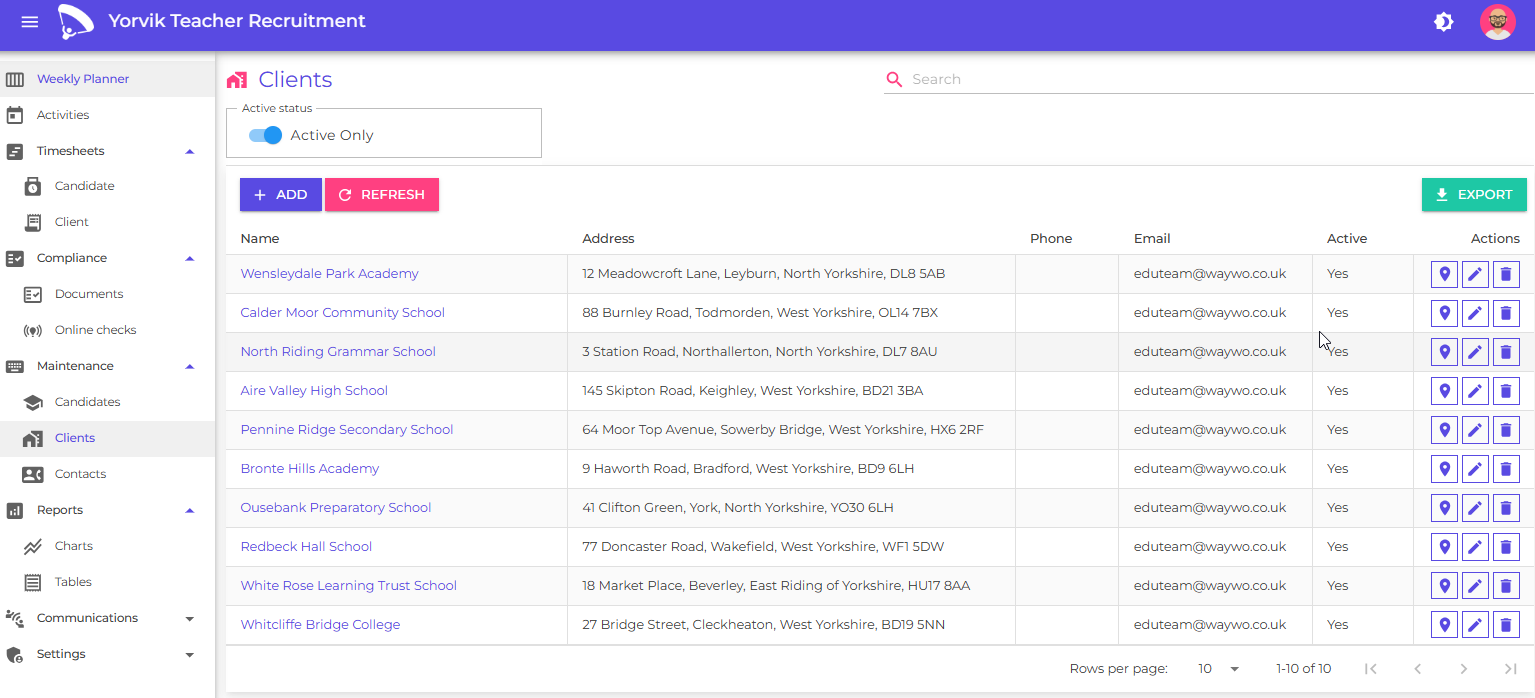
You can use these filters to quickly locate specific clients:
- Search - by keyword
- Active - show or hide inactive clients
Each client record includes a quick action to:
- View the client’s location in Google Maps
Add a new client
Click the Add button
You will see the add/edit client page
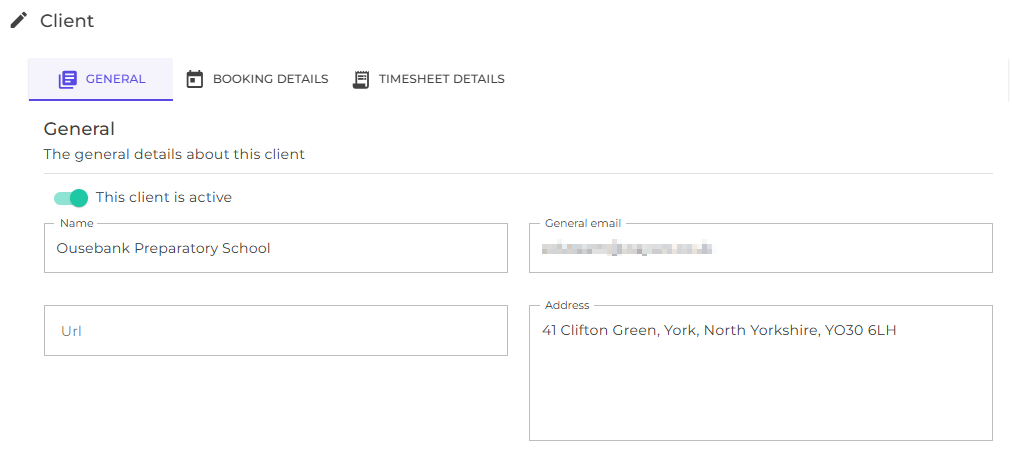
Each client has the following fields on the general details tab :
| Field | Description |
|---|---|
| Active indicator | Helps to filter Active and inactive clients |
| Name | The name of the client |
| Address | The location of the client |
| General email address for the client | |
| Url | The website address |
Switch to the booking details tab
You will see booking details for this client, which allows you to configure booking settings for this client
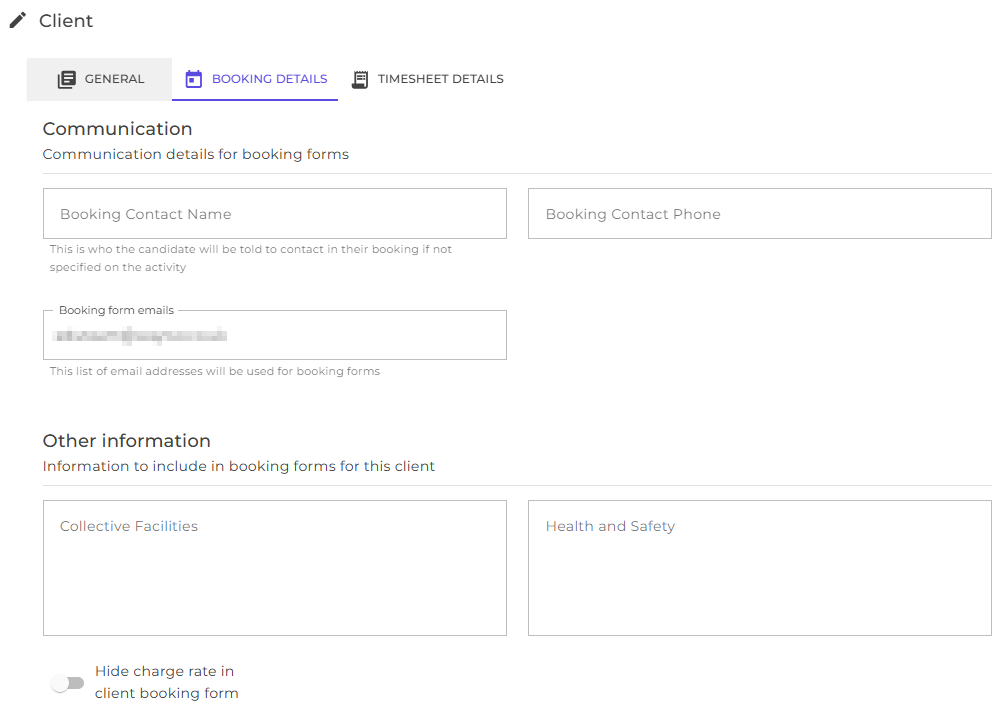
There are additional fields on this tab:
| Field | Description |
|---|---|
| Booking contact name | The name to use in booking emails (see available Tokens) |
| Booking contact phone | The contact number of the booking contact |
| Booking form emails | The email address to send booking forms to |
| Collective facilities | Description of any shared amenities or resources available to show in candidate booking forms. |
| Health and safety | Description of any Health and safety requirements to show in candidate booking forms. |
| Hide charge rate | This allows you to hide the charge rate in client booking forms (e.g. for where other arrangements exist) |
Switch to the timesheet details tab
The timesheet details tab allows you to configure timesheet settings for this client
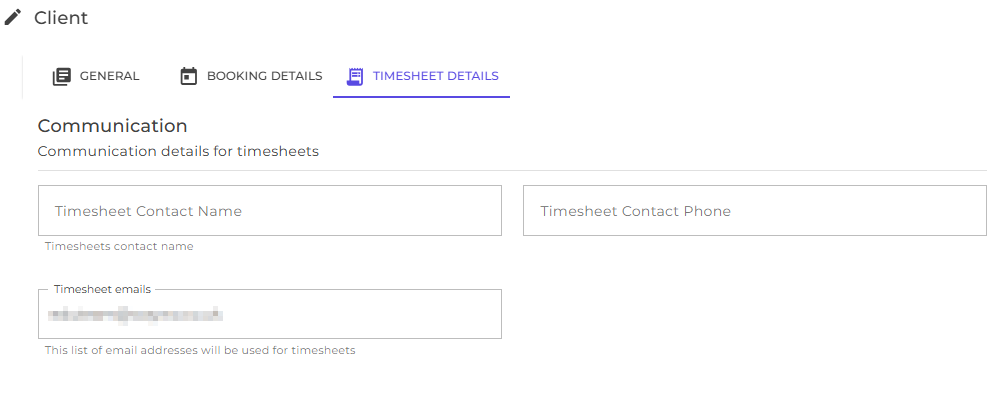
There are additional fields on this tab:
| Field | Description |
|---|---|
| Timesheet contact name | The name to use in timesheet emails (see available Tokens) |
| Timesheet contact phone | The contact number of the timesheet contact |
| Timesheet form emails | The email address to send timesheets to |
Once the client record has been created you can:
- Create activities for this client as required
Next
Learn how to onboard and manage candidates
Learn how to manage and ensure candidate compliance
Learn how to schedule activities
Learn how to generate and send booking forms
Learn how to generate timesheets
Learn how to manage contacts
Understand how to analyse and report on your consultant and agency performance